Highlighting 'In Progress' Tasks in Production Roles

Date
02_2026
Page
Production --> Book Production --> Production Roles
Description
When using Production Roles to manage your teams work, it was previously only possible to see when a task should be started, when it should be finished, and when it actually is completed. It was therefore not possible to get a direct indication from your team that a task was in progress.
To address this, we have developed the functionality of both the 'My Tasks' report and the Production Roles screen.
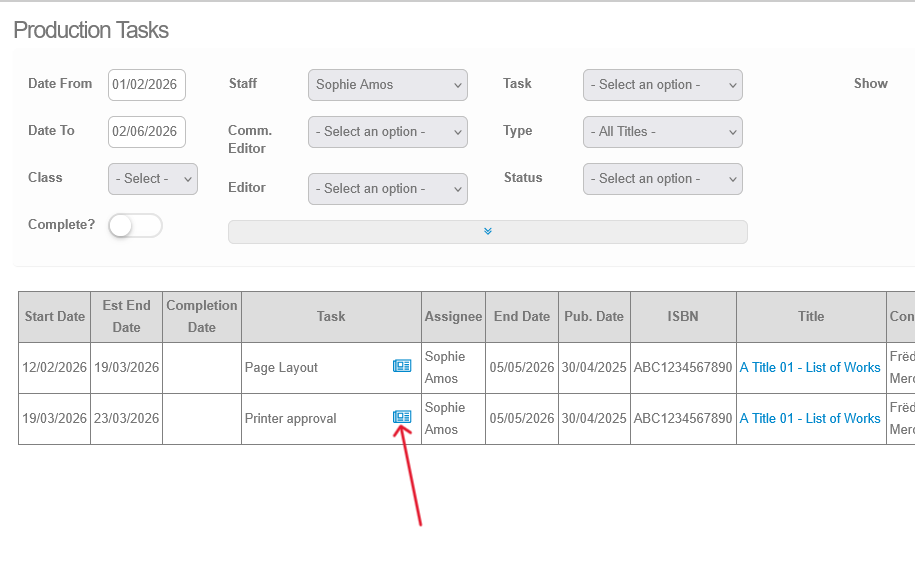
In the My Tasks report, you have the ability to provide details on your tasks, using the note symbol:
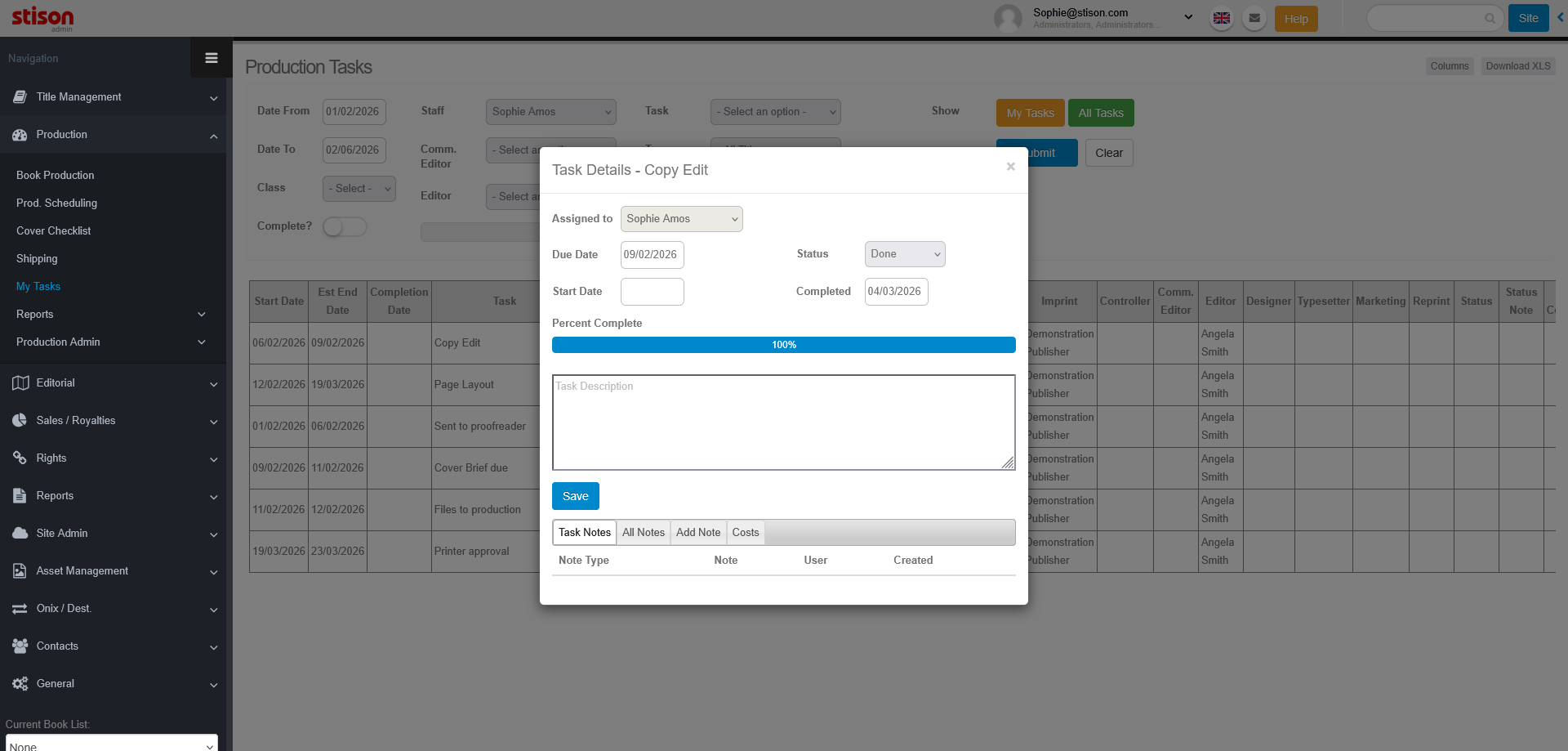
By selecting the notes button, you will open a pop-up, which will allow you to edit the start and completion dates, assign a status to the task, indicate your % progress, and edit any notes and costs associated with the task:
By marking a task as 'In Progress', you will edit the task on the Production Roles screen to be highlighted in green:
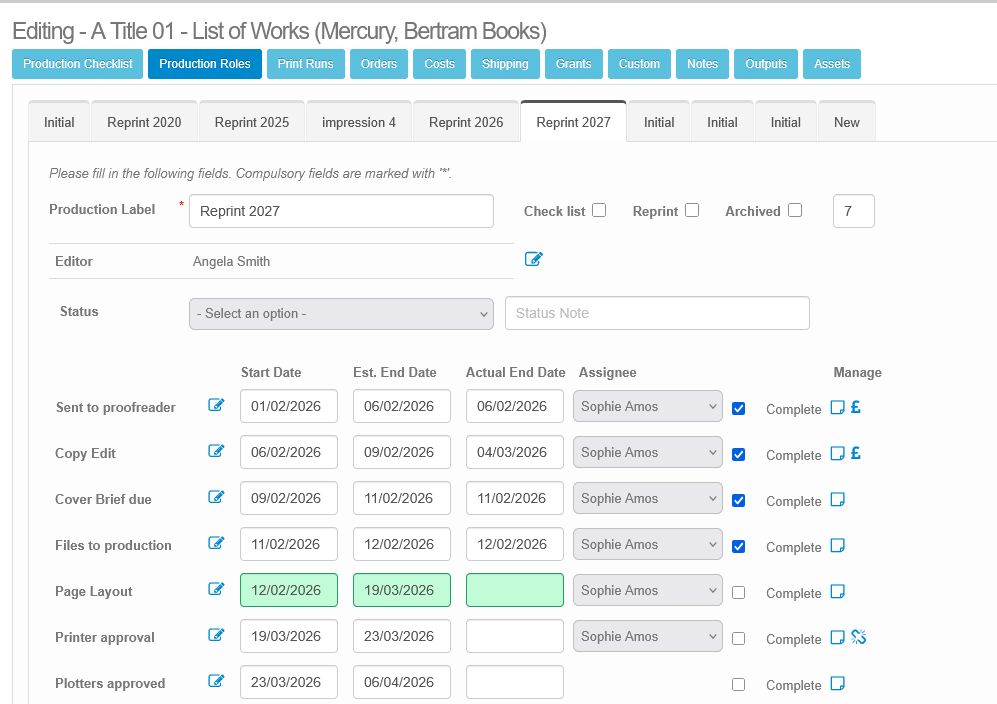
In the example above, the task 'Page Layout' has been marked as 'in progress' in the My Tasks report.
Please sign in to leave a comment.
Comments
0 comments