Addition of Regionalised Text Import

Date:
13/01/25
Page:
Title Management > The Blurbs Tab
Details:
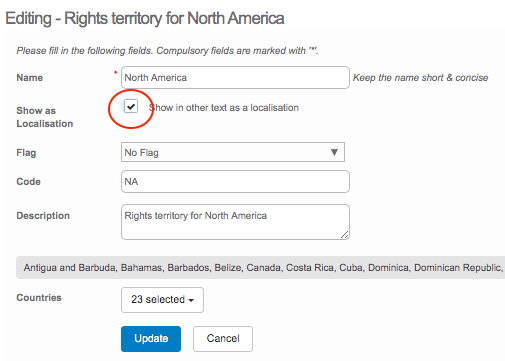
Within the Blurbs Tab of a title record, you have the option to store territory-specific descriptions. In order to do this, you need to navigate to General > Territory Admin and add the territory to your system. Once you have done this, ensure the Show as localisation box is checked on your territory, as shown below:
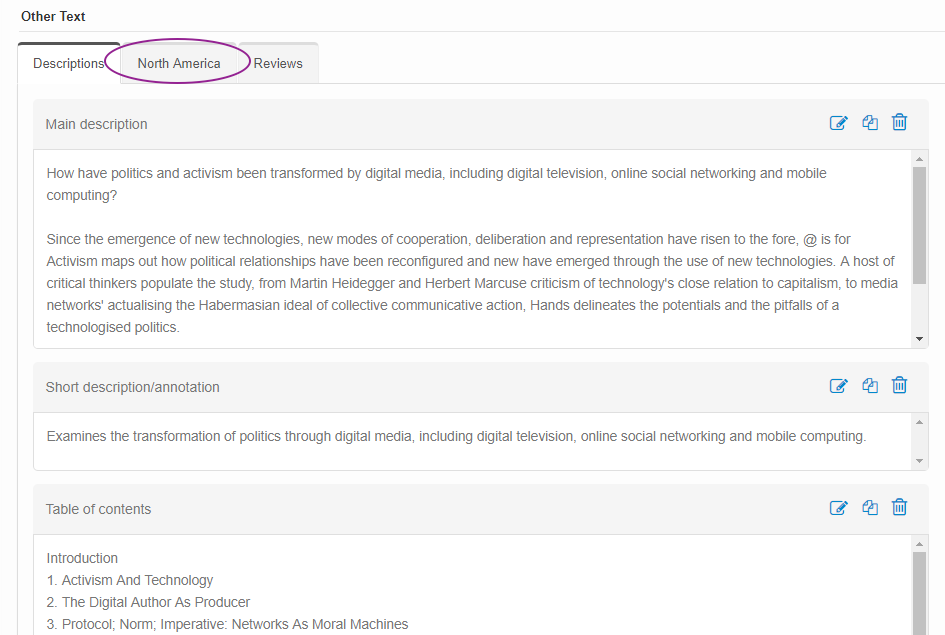
When you navigate over to the Blurbs tab, you can find the localised information has been placed beside the first Description sub-tab, as shown in the purple circle below.
We have now added the ability for you to bulk upload localised Main Descriptions to these sub-tabs in the Blurbs tab. Before completing the upload, ensure that each territory has the Show as localisation box checked in Territory Admin. This will allow them to be displayed as options under the Descriptions - Custom heading when mapping your columns upon upload.
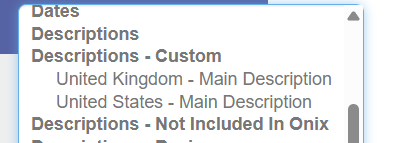
Once you have mapped the columns, press the Upload button and each description will be uploaded to the corresponding Localised Description sub-tab in the Blurbs tab as a Main Description text type.
Please sign in to leave a comment.
Comments
0 comments