New filters in XSLT Admin

Date:
01/12/25
Page:
Details:
XSLT Admin is an area of the system that allows you to upload a set of templates for the files and reports you generate from your system - such as AIs, Order Forms and Catalogues. The information you want to pull out from the database: a CSV, XML or PDF, will be laid out as specified in the templates you upload. The blue templates are editable, and clicking on them will take you to this screen, where you can configure what is included in your template and where it is shown in the system:
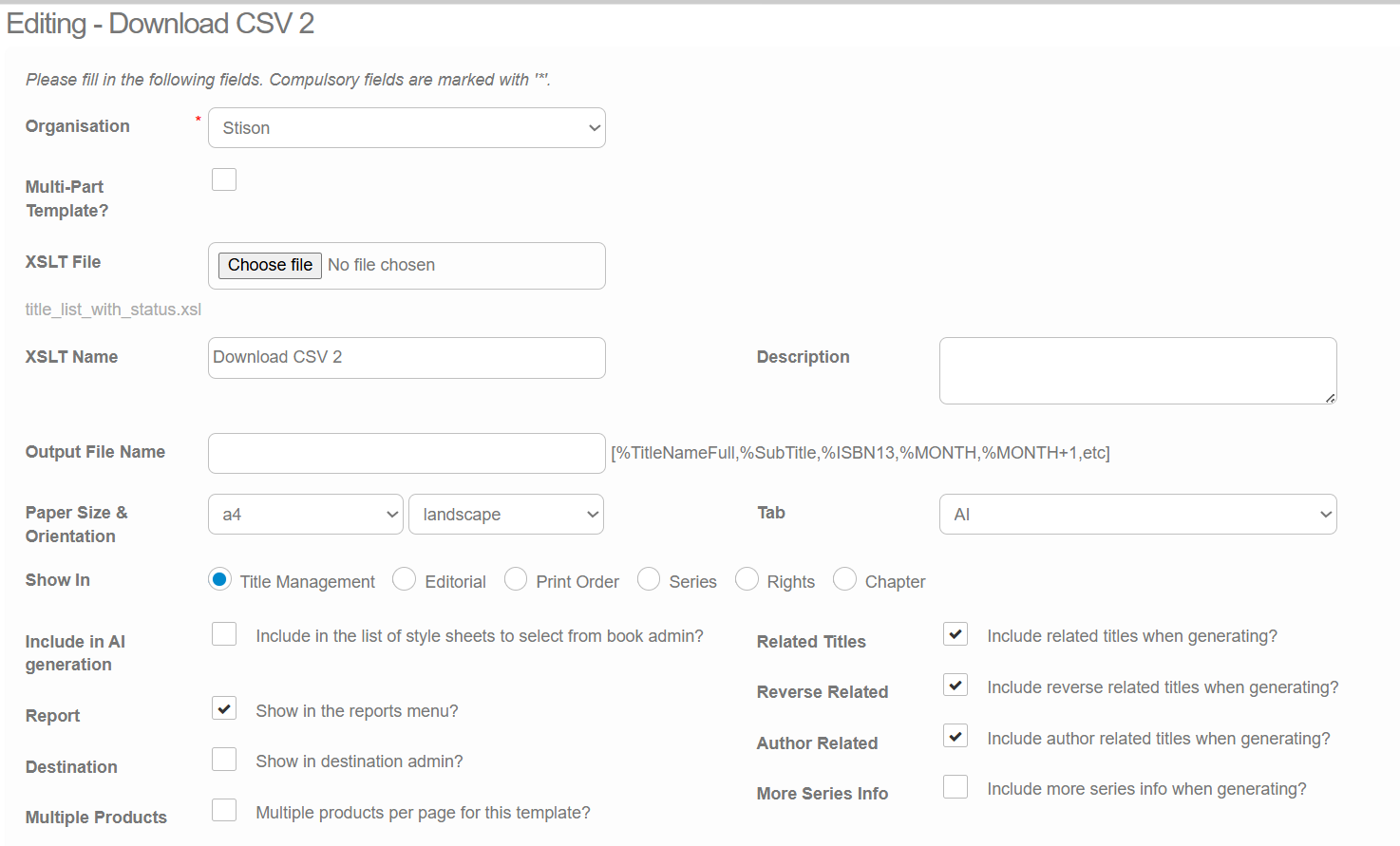
We have added the "Reverse Related" and "Author Related" checkboxes to allow you to toggle whether you would like these titles to be pulled into the AI template. "Reverse Related" refers to titles that a product relation is directing to, eg. the new edition that an old edition has been "replaced by".
These filters are useful in instances where, for example, an author has written a large amount of books in your catalogue and you therefore may not want all of this data to be pulled.
Please sign in to leave a comment.
Comments
0 comments